

Plugins
A plugin teaches Capy to work with one service. It bundles the service's MCP servers, which give the agent tools, with skills, which tell the agent how to use them.
If Capy has its own integration for the service, such as GitHub or Slack, use that instead.
Add a plugin from the marketplace
Capy picks and tests every marketplace plugin. A check mark means Verified by Capy.
Settings → MCP & plugins includes a marketplace with search and categories. A plugin can belong to the Organization or Only me, and cover All projects or one project. Organization plugins are shared with every member.
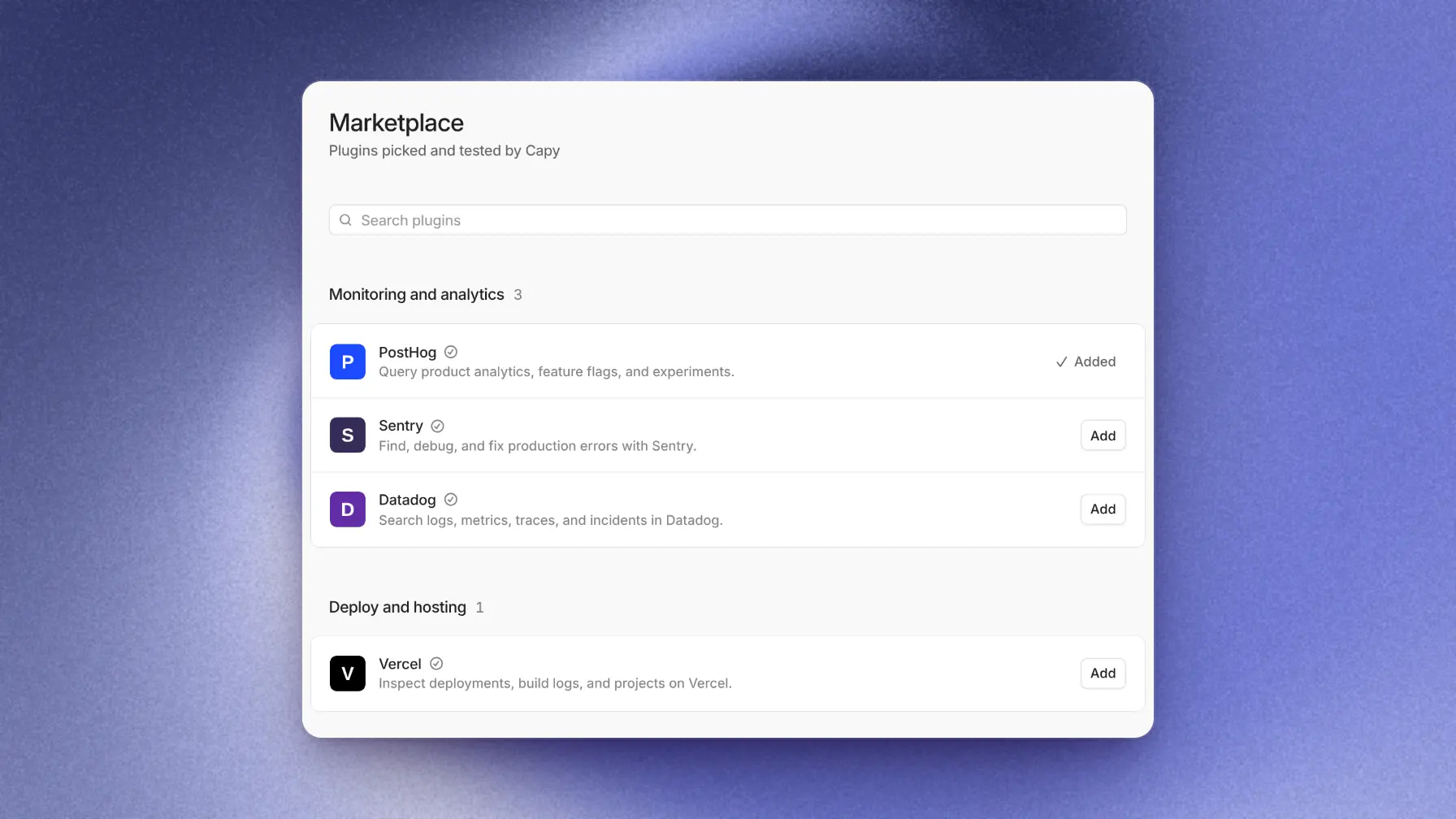
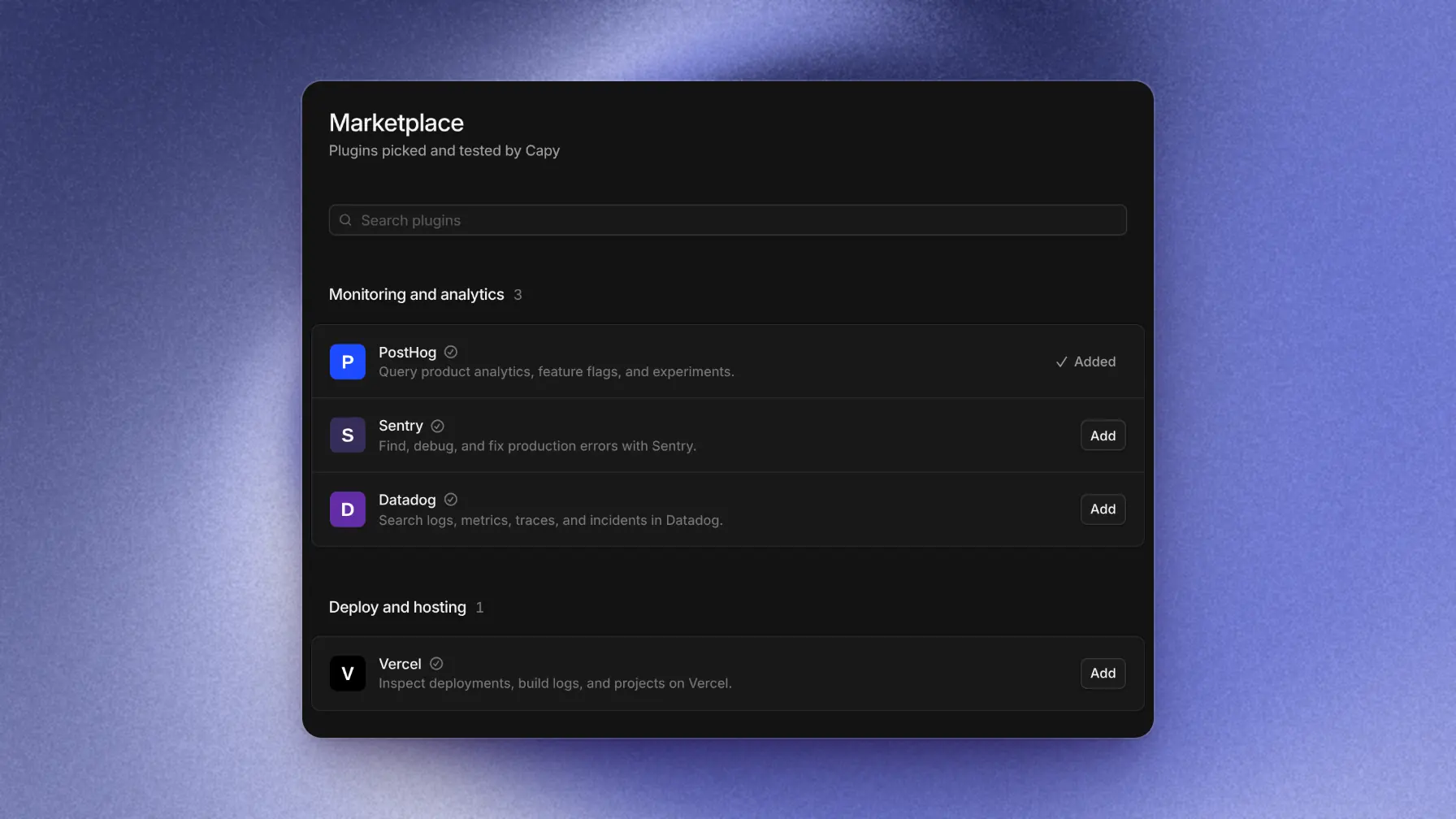
Keys collects any required credentials when you add a plugin. Members can't read them back. Each server that needs a sign-in connects separately after installation.
You can also ask Capy in a thread, for example "Add the Sentry plugin", and review its card.
Add a plugin from GitHub
From GitHub repository accepts a repository URL or a /tree/<branch>/<folder> link to one plugin. GitHub plugins have the same owner and project choices as marketplace plugins.
For a private repository, install the Capy GitHub App on it first. A GitHub plugin updates only when you click Sync on the plugin page.
Connections and keys
Each server connects separately, under Tools on the plugin page. The plugin shows the worst server status.
| Server uses | Shared | Per member |
|---|---|---|
| OAuth | One member connects, and every thread uses that account. | Each member connects their own account. |
| API key | You enter it once under Keys when you add the plugin. | Each member connects with a key only they can read. |
The plugin author decides which column applies. Only me plugins always sign in as you.
Updates and removal
Marketplace plugins update on their own after Capy reviews each version. An update that adds a server or a key, or asks for wider OAuth scopes, shows Update needs you until you review it.
Roll back in the ⋯ menu returns to the previous version. Turning off Enabled hides it from the model. Remove deletes its servers, connections, and every member's keys.
Build a plugin
A plugin is a folder that follows the Agent Plugins specification, version 1.0.0 or 1.1.0. Put plugin.json and mcp.json at the folder root, and each skill at skills/<name>/SKILL.md.
mcp.json lists the servers under mcpServers. Its $schema version must match the one in plugin.json.
plugin.json names the plugin. Under extensions.ai.capy.recipes, add one recipe per server, named as in mcp.json. This recipe makes each member sign in to the acme server with their own account:
{
  "$schema": "https://agent-plugins.org/schemas/1.1.0/plugin.schema.json",
  "name": "acme",
  "version": "1.0.0",
  "description": "Triage and resolve Acme incidents.",
  "extensions": {
    "ai.capy": {
      "displayName": "Acme",
      "icon": "icon.svg",
      "recipes": {
        "acme": { "auth": { "registration": "discover" }, "connection": "member" }
      }
    }
  }
}connectionis"organization"(the default) or"member".authsets OAuth sign-in. A remote server without a recipe also uses OAuth. Withoutauth, a server uses API keys if it listssecrets, and no sign-in otherwise.secretslists the keys, each with adescriptionfor the add page. A remote server gets each key as a header with the key's name. A STDIO server gets it as an environment variable.iconis a PNG, JPEG, or SVG file in the plugin, up to 256 KiB.
Capy skips a server with a credential, such as an Authorization header, in mcp.json. Use secrets instead.
Capy names each skill after its folder. It skips a skill if the folder name isn't lowercase letters, digits, and hyphens, up to 64 characters, or if SKILL.md has no description in its frontmatter. A description over 1,024 characters rejects the plugin.
Get your plugin listed
There's no submission form. To suggest your plugin, send its GitHub repository link through Support.
Until it's listed, anyone can add it from GitHub. This link opens the add flow with your repository filled in:
https://capy.ai/settings/mcp?github=https://github.com/<owner>/<repo>Good to know
- Remote servers run in the cloud. STDIO servers run on each thread's cloud machine, and Capy copies skills there.
- Threads on your own computer get a plugin's remote servers only.
- Capy ignores hooks, commands, subagents, LSP servers, and ChatGPT app connectors.
- Capy skips any server or skill it can't read and lists it under Warnings.
- A plugin can hold up to 20 MiB and 2,000 files.
- A plugin showing Project deleted works in no thread until you change its Project.