

OIDC federation
OIDC federation lets a project's machines sign in to your cloud without a stored key. You set it up under Settings → Cloud credentials. Capy is an OpenID Connect (OIDC) issuer for your organization. It signs a short-lived token for each machine, and your cloud exchanges that token for its own short-lived credentials. You decide what the token can reach by mapping it to a service account, role, or policy you own.
Capy stores no cloud credential. To revoke access, edit or delete the trust on your side.
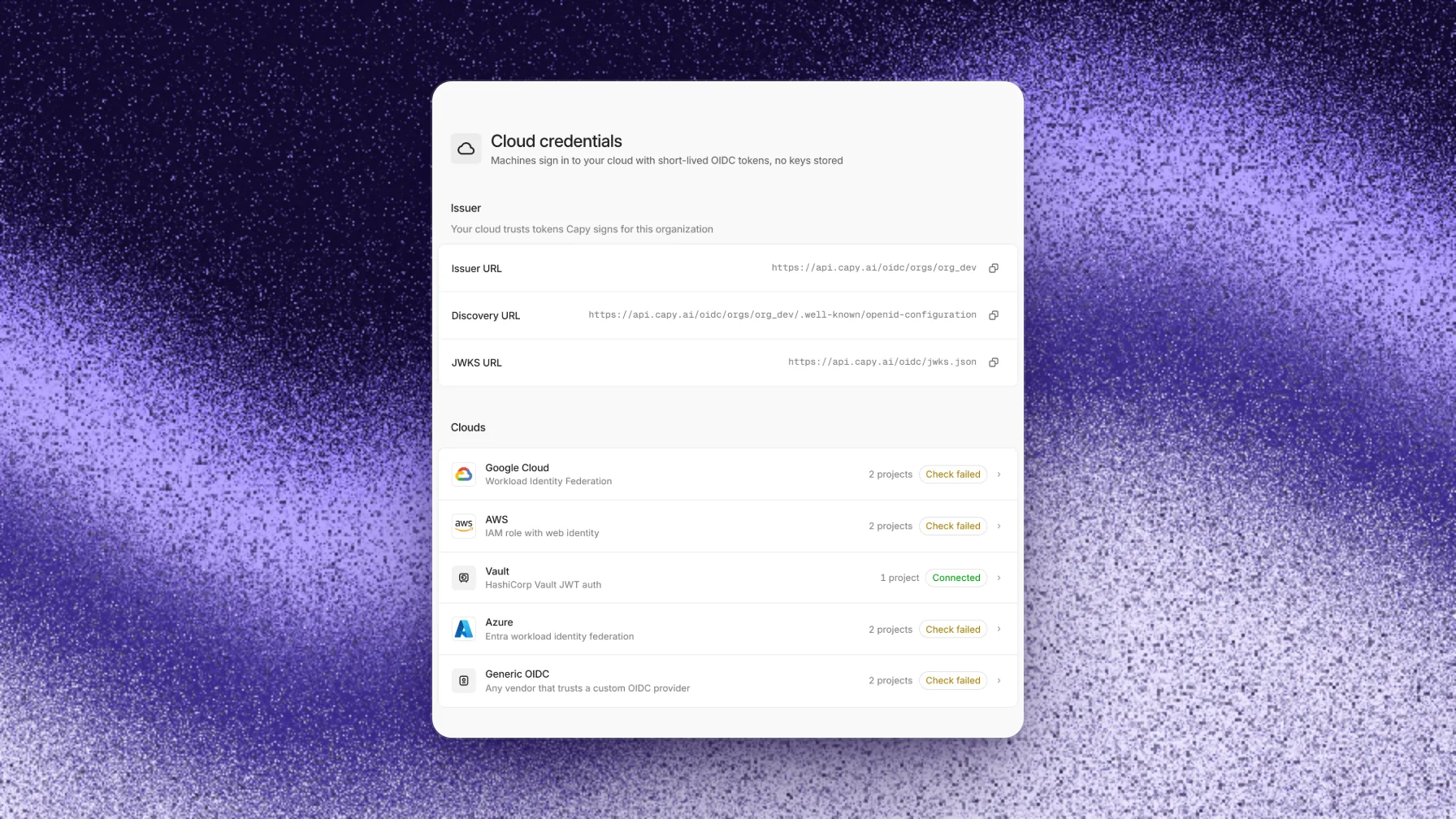
Providers
Workload Identity Federation with service account impersonation
AWSAn IAM role assumed with AssumeRoleWithWebIdentity
AzureAn Entra federated identity credential on an app or managed identity
HashiCorp VaultThe JWT auth method with a role per project
Generic OIDCAny service that trusts a custom OIDC provider
How it works
Capy writes a signed token to a file on each machine. The cloud's own SDK or CLI reads that file and exchanges the token at the cloud's token service. The token service checks the signature against Capy's published keys, matches the claims against your trust settings, and returns a credential for the identity you mapped.
- Per project. You turn on a cloud for one project at a time, and only that project's machines get a token. Each project can map to a different identity, for example a read-only role for production.
- Per thread in your logs. The token's subject names the thread, so your cloud's audit log shows which thread made each call. Open the thread code from the log in Capy to see what the agent did.
- Cloud machines only. Threads that run on your own computer with the desktop app use your own cloud logins and get no token.
Issuer
Settings → Cloud credentials shows your organization's issuer URLs, each with a copy button. Every provider setup uses the issuer URL.
| Name | Value |
|---|---|
| Issuer URL | https://api.capy.ai/oidc/orgs/<org id> |
| Discovery URL | https://api.capy.ai/oidc/orgs/<org id>/.well-known/openid-configuration |
| JWKS URL | https://api.capy.ai/oidc/jwks.json |
Each organization has its own issuer, so a trust you create for your issuer never accepts a token Capy signs for another organization. The discovery and JWKS URLs are public and need no authentication, because your cloud reads them to verify tokens. Capy signs tokens with RS256.
Token
A token is a JWT with these claims:
| Claim | Value |
|---|---|
iss | Your issuer URL |
sub | org/<org id>/project/<project id>/thread/<thread code>. Azure tokens use org/<org id>/project/<project id> |
aud | The audience of the project's setup for that cloud |
iat, nbf, exp | Issued now, valid from 60 seconds ago, expires 1 hour after issue |
jti | A unique token ID |
org | Your organization ID |
project | The project ID |
thread | The thread code, for example ENG-142. A subagent's machine carries its parent thread's code |
machine | The machine ID |
user | The user ID of the thread's owner |
Write trust conditions against the sub prefix org/<org id>/project/<project id>/thread/*, or against the org and project claims where your cloud supports custom claims. The setup pages generate these conditions for you.
Set up a provider
Every cloud follows the same steps on the page for that cloud under Settings → Cloud credentials:
- Choose Add project, then pick the Capy project.
- Enter the identity details for your cloud.
- Run the Trust Capy commands in your cloud. The page fills in your issuer, organization ID, and project ID.
- Run the Grant access example, or grant your own roles. Capy never grants anything.
- Choose Verify. Capy signs in once with a test token and shows the result.
Any organization member can add a project, edit its setup, and run Check now. Only organization admins can remove a project. A project can have one setup for each cloud.
Each provider page lists the exact fields and commands.
What machines get
Capy writes the token and credential files to /etc/capy/cloud-access/ on every cloud machine in the project, readable only by the machine's user. It also writes an env file with the provider's exports, such as GOOGLE_APPLICATION_CREDENTIALS or AWS_WEB_IDENTITY_TOKEN_FILE. Every shell the agent runs reads that file, so SDKs and CLIs find the credentials with no login step. Each provider page lists its files and exports.
A variable with the same name as an export wins, so a project variable named GOOGLE_APPLICATION_CREDENTIALS replaces Capy's value.
Lifetime and refresh
- One hour. Each token expires 1 hour after Capy signs it. The cloud credential it buys has the lifetime your cloud sets.
- Refreshed before expiry. While a machine is awake, Capy replaces the token about 15 minutes before it expires. Capy replaces each file whole, so a command never reads half a token. SDKs that read the token file pick up the new token at their next refresh.
- Asleep machines. A sleeping machine gets no new token, and its token expires at rest. Capy writes a fresh token when the machine wakes.
- Failures don't block work. If Capy can't sign or write a token, the machine keeps running without it, and Capy retries a few minutes later.
The machine can't renew its own token. Capy pushes each new token, so a copied token stops working within its hour.
Scope and revocation
- Remove a project. Choose Remove from the project's menu. Capy deletes the files at the machine's next refresh, and the last token expires within the hour. Your trust setup in the cloud stays.
- Change a setup. Saving a setup sends new files to the project's machines at their next refresh.
- Members who leave. Capy checks that the thread's owner is still an organization member before it signs a token. When the owner leaves, their threads' machines stop getting tokens and lose their files.
- Revoke on your side. Each provider page shows how to stop every exchange at once in your cloud. Credentials that machines already hold last until they expire.
Troubleshooting
Each provider page lists the check errors for that provider.
A machine has no files in /etc/capy/cloud-access
ls /etc/capy/cloud-access and cat /etc/capy/cloud-access/env to confirm.The SDK uses another identity
GOOGLE_APPLICATION_CREDENTIALS, replaces Capy's value. AWS SDKs also prefer AWS_ACCESS_KEY_ID and AWS_SECRET_ACCESS_KEY over the web identity token. Remove those variables from the project's variables.